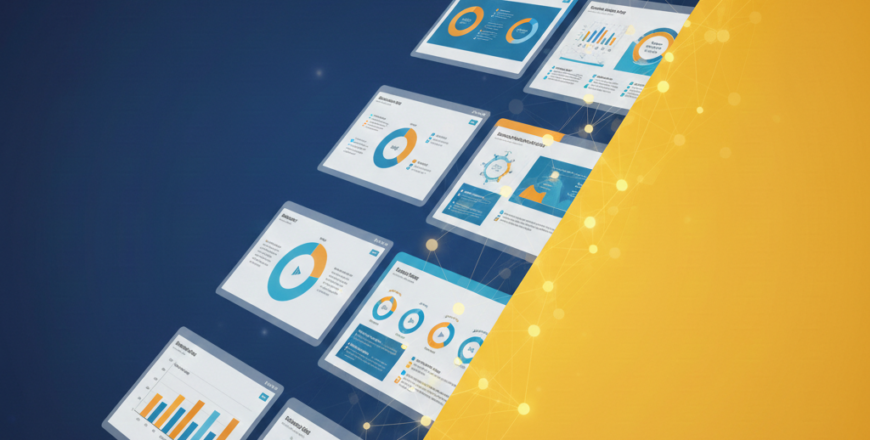
Creating clear, well-structured presentations is a critical skill for managers and other business leaders. Microsoft PowerPoint remains the most popular and one of the most reliable tools for creating presentations. Whether you are presenting strategy to executives, reporting progress to stakeholders, or aligning teams around key goals, the way you use PowerPoint significantly impacts the outcome.
The PowerPoint Mastery for Managers course is designed to help managers create professional, clear, and impactful presentations without wasting time or overcomplicating slides. The course goes beyond basic PowerPoint usage and focuses on how managers should plan, design, and deliver presentations that support business goals.
By taking this well-curated course, you will learn how to think like a manager when building slides. You will understand what to include, what to leave out, and how to structure information so it is easy to understand and act on. The course covers everything from slide design fundamentals and corporate branding to storytelling, data visualization, and executive reporting.
Rather than focusing on flashy designs, this course emphasizes clarity, structure, and professionalism. By the end of the course, you will be confident creating presentations for meetings, reviews, strategy sessions, and leadership updates.
You might be thinking, “I already use PowerPoint—why do I need a mastery course?” Here’s why this course is valuable for managers, including those that might already be familiar with PowerPoint:
The course is structured to guide you from the basics of executive presentations to advanced PowerPoint usage for management scenarios. It includes 15 modules, each with a quiz at the end to test whether you’ve grasped the key concepts covered. Here is an overview of what to expect with each module.
Learn what makes presentations effective at the management and executive level, and how expectations differ from regular presentations. This module dives deep into the crucial aspects of presentations you should focus on and what you should not waste your valuable time on.
Understand the PowerPoint interface and the tools managers use most to work faster and more efficiently. This module includes crucial tools and menus for adding various elements into your slides such as text, images, video, and other data formats into your presentation. It also shows easier ways to find PowerPoint the different features within this software.
Learn how to define objectives, understand your audience, and structure presentations around key messages and decisions. You will also briefly learn how to use tools like Copilot, embedded in the PowerPoint app, to optimize your presentation planning process.
As a manager, your audience expects you to create well-designed slides that are easy to follow and understand at a glance. This module will help you master layout, alignment, typography, and color basics to create clean, professional slides.
Templates are one of the most time-saving features built into PowerPoint. In this module, you will learn how to work with company templates and branding guidelines while keeping slides clear and consistent. You will also learn how to use third-party PowerPoint templates and integrate them into your existing slides.
The information you present is important, but how you present it is even more important. In this module, you will learn how to turn ideas, updates, and data into clear business stories that keep audiences engaged. We will also provide real-world examples of how popular executives use storytelling techniques to enhance the impact of their presentations.
Data visualization is a crucial PowerPoint skill because it helps your audience quickly digest key insights in your presentation. This section of the course will teach you how to present charts, KPIs, and metrics in a way that supports understanding and decision-making.
When presenting projects, it is crucial to include status updates in a visually appealing manner that your audience can quickly grasp. This module will help you build clear project updates and dashboards that show progress, risks, and next steps at a glance.
The way you present executive reports and business reviews is different from how you present information to your teams. This module will help you learn how to structure monthly, quarterly, and annual business reviews for leadership audiences. It includes techniques to ensure your presentations are concise and direct, as most leaders have limited time.
In addition to the data you present, it is also crucial to have a well-thought-out strategy for how you present it. Some would argue that strategy and presentation techniques are even more important than the information itself. In this module, you will learn how to clearly present plans, timelines, and strategic initiatives using PowerPoint.
Many studies have shown that visuals play the biggest role in how impactful any presentation can be. In this module, you will understand how and when to use visuals to simplify complex ideas without cluttering slides.
PowerPoint is a robust presentation tool with many useful features that people often do not know how to use. This module focuses on exploring advanced features that help managers work smarter, not harder. Even if you are already familiar with PowerPoint, this section will help you discover features and shortcuts that can take your slide creation skills to the next level.
Microsoft has integrated several collaboration features into the Office suite, including PowerPoint. In this section of the course, you will learn how to manage presentations with teams, handle feedback, and keep versions organized. It also explores useful tools built into PowerPoint and companion apps like OneDrive to help you collaborate more effectively.
Even when you have the best slides in the world, the way you present them significantly affects the impact of your message. This module will help you improve how you speak to your slides, explain ideas clearly, and handle executive discussions. We will also provide examples from well-known executives so you can learn from the best.
It is never a good idea to start from scratch with every presentation, as it can be time-consuming. In this module, you will learn how to create reusable templates for meetings, reports, strategy sessions, and updates. This way, you can simply use these templates instead of creating everything from scratch each time.
As stated earlier, each module includes a quiz that we encourage you to complete before moving on. These quizzes are carefully designed to assess the key concepts covered in each module. You can also use them to identify areas that need more attention and revisit those sections for further learning.